
PAN is a alphanumeric Permanent Account Number issued by the Income Tax department of India to all taxpayers. It is a unique important identity to track tax payments , filings , deductions from the tax payers. It can be used as a valid proof of Identity used by Banks , financial organizations .
Aadhaar number is a unique number issued by the Unique Identification Authority of India . It can be used as identity and address proof for an individual in India
Government of India has made it mandatory to link the PAN to Aadhaar number of an individual which helps it for audit trails and track revenue leakages due to non payment of taxes. As Aadhaar is widely used and mandated for many services linking PAN to it enables government to track and device various schemes which may benefit different classes of the society.
While now for new applications Aadhaar PAN linking is taken care as a mandate , for PAN or Aadhaar which was issued earlier this regulation government has been creating awareness through various campaigns. One such portal is the Government Income Tax Portal where any individual can input their PAN and Aadhaar card number and verify it is linked.
How to check whether PAN is linked with Aadhaar - Income tax portal
Step 1 : Click on the below URL which redirects to Income Tax portal of India
https://eportal.incometax.gov.in/iec/foservices/#/pre-login/link-aadhaar-status
Step 2 : Input the PAN , Aadhaar number in the form displayed and click View Link Aadhaar Status
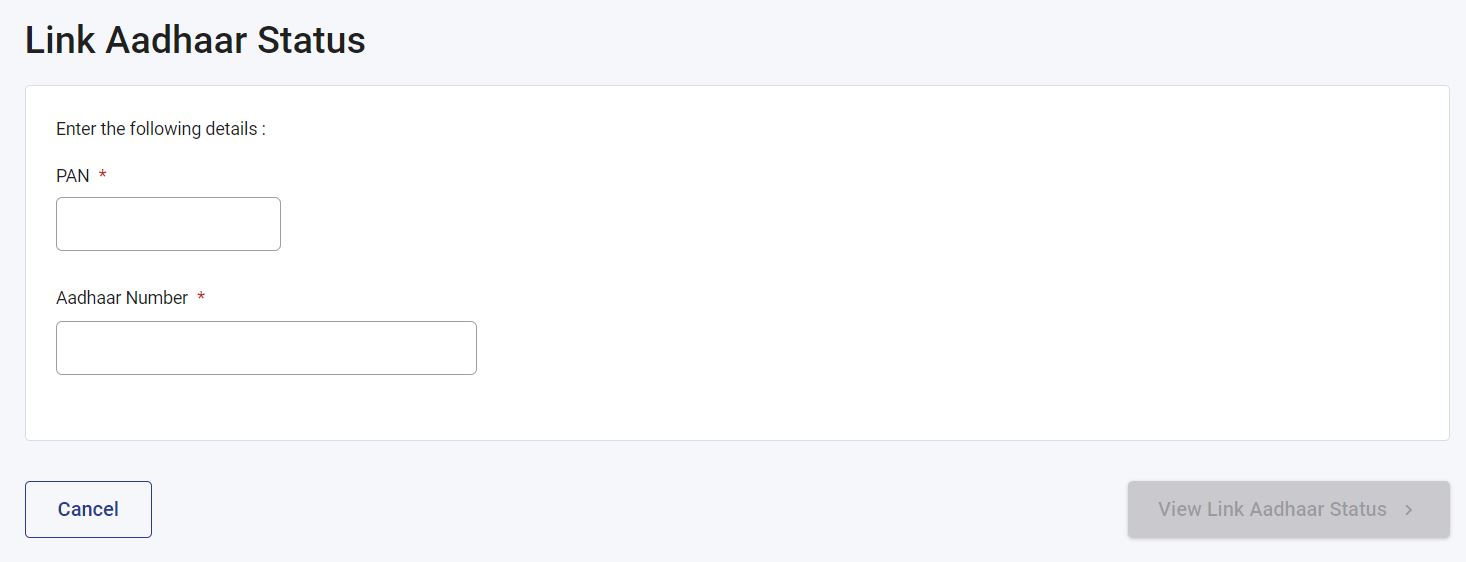
If the PAN and Aadhaar are linked , then a confirmation will be displayed as below

If not linked , then the reason gets displayed with a website link explaining further steps to link PAN and Aadhaar

 Facebook
 Instagram
 YouTube
 Twitter
 LinkedIn
 WhatsApp
Subscribe , Follow on